




-
 Apr 27, 2026
-
 Techno Deviser
-
 14 min read
- What is website structure?
- Why website structure matters for SEO
- How Google crawls and indexes structured websites
- How internal linking impacts Google rankings
- URL structure and SEO performance
- Site hierarchy and content authority
- Topic clusters and website structure
- Navigation and user experience signals
- Breadcrumbs and structured data
- Core Web Vitals and technical structure
- Mobile-first structure matters
- Common website structure mistakes that hurt rankings
- Best website structure for SEO
- Example of poor vs strong website structure
- How website structure supports topical authority
- How structure affects conversion rates
- Mini case study example
- Website structure SEO checklist
- Suggested internal links for Techno Deviser
- Suggested external references
- FAQs
Website structure plays a major role in how users and search engines understand a website. In fact, website structure impacts Google rankings by influencing how easily search engines can crawl pages, understand relationships, discover important content, and evaluate the user experience. Although content quality, backlinks, and authority matter, structure ultimately shapes how efficiently Google interprets and ranks a site.
In simple words, a well-structured website helps Google move through your site smoothly. Moreover, it helps visitors find the right information faster. As a result, your pages can perform better in search results when your content also matches user intent.
Google’s own SEO Starter Guide explains that SEO helps search engines crawl, index, and understand content more effectively. Therefore, website structure is not only a design issue. It is also a technical SEO, content SEO, and user experience issue.
What is website structure?
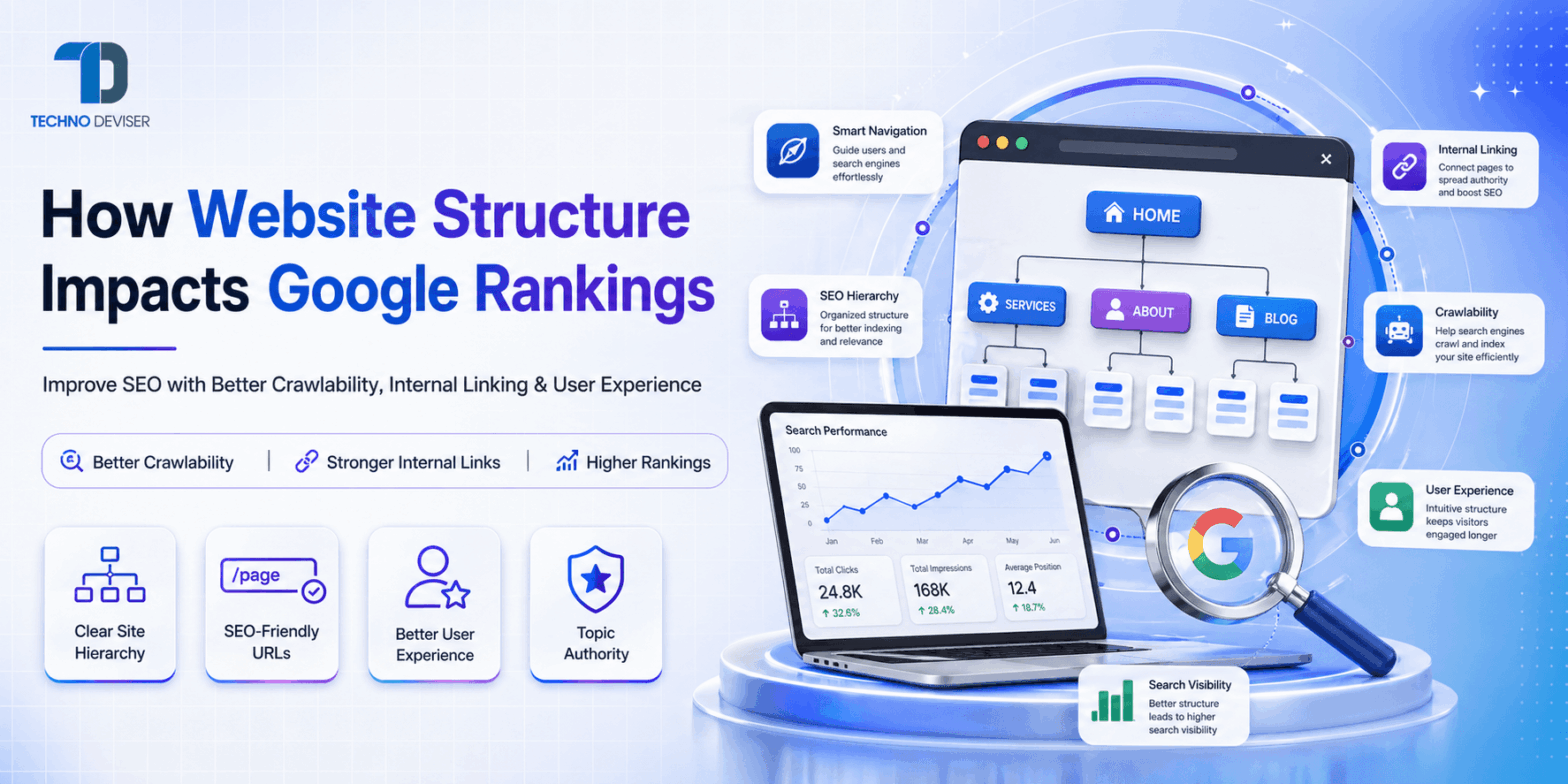
Website structure means the way pages are organized, connected, and presented on a website. It includes your homepage, service pages, category pages, blog posts, landing pages, URLs, menus, breadcrumbs, and internal links.
For example, a simple structure may look like this:
- Home
- Services
- SEO Services
- Technical SEO
- Blog
- Contact
This structure helps users move from general information to specific information. Similarly, it helps Google understand which pages are most important.
However, a weak structure may hide important pages deep inside the website. As a result, Google may crawl them less often, users may not find them, and rankings may suffer.
Why website structure matters for SEO
Website structure matters because Google needs to discover, crawl, index, and understand your pages before it can rank them. If your structure is confusing, Google may struggle to identify your most important content.
Moreover, structure affects how link equity flows across your website. When your key pages receive strong internal links from relevant sections, they can gain more visibility. Google states that links help it discover pages and can act as a signal when determining page relevance.
In addition, website structure improves user experience. Visitors want fast access to answers. Therefore, clear navigation, logical categories, and helpful internal links can reduce confusion and increase engagement.
Expert quote
“A strong website structure does not make weak content rank by itself. However, it helps Google and users reach your best content faster, which can improve SEO performance over time.”
— Techno Deviser SEO team
How Google crawls and indexes structured websites
Google uses crawling to discover pages and indexing to store and understand them for Search. Therefore, your website structure should make discovery easy. Google’s crawling and indexing documentation explains that site owners can control how Google finds and parses content for Search.
When your pages connect logically, Google can move from one page to another through crawlable links. For example, your homepage may link to your services page. Then, your services page may link to SEO, web development, PPC, and app development pages.
As a result, Google can understand the relationship between pages.
However, when important pages have no internal links, they become orphan pages. An orphan page may exist on your website, but users and crawlers may not easily find it. Therefore, orphan pages often perform poorly unless they receive strong external links or appear in XML sitemaps.
How internal linking impacts Google rankings
Internal links connect one page of your website to another page of the same website. They guide users, distribute authority, and help Google understand page relevance.
For example, a blog about website structure can link to an SEO services page. This link tells users where to go next. Additionally, it helps Google see that the SEO service page has a relationship with technical SEO topics.
Google recommends making links crawlable and using clear anchor text so users and search engines understand where the link leads.
Good internal linking examples
• Link a blog about technical SEO to your SEO services page
• Link a blog about website speed to your web development service page
• Link a blog about Google rankings to your SEO audit page
• Link related blogs together to build topical authority
• Link service pages from the homepage and main navigation
Poor internal linking examples
• Using “click here” for every internal link
• Linking unrelated pages only to add more links
• Hiding important service pages from the main menu
• Creating blog posts without links to service pages
• Keeping important pages more than four clicks away from the homepage
URL structure and SEO performance
URL structure affects how users and search engines understand a page before they even open it. A clean URL gives context. Meanwhile, a messy URL creates confusion.
Google recommends using crawlable URL structures because poor URL patterns can make crawling inefficient.
For example:
Good URL: /seo-services/technical-seo
Poor URL: /page?id=8392&cat=service-x
The first URL is short, descriptive, and easy to understand. Therefore, it can improve usability. The second URL looks unclear and less trustworthy.
Best practices for SEO-friendly URLs
Use short and descriptive words
• Include the main keyword naturally
• Avoid unnecessary numbers and symbols
• Use hyphens between words
• Keep URLs lowercase
• Match the URL with the page topic
• Avoid changing URLs without proper redirects
Site hierarchy and content authority
Site hierarchy means the order and importance of pages. Usually, the homepage sits at the top. Then, main service pages come next. After that, sub-service pages, blogs, and supporting content appear.
A strong hierarchy helps Google understand which pages are central to your business.
For example, if Techno Deviser wants to rank for SEO services, the website should have a strong SEO service page. Then, blogs about technical SEO, on-page SEO, keyword research, website structure, and local SEO should link back to that main page.
This creates a topic cluster.
As a result, Google can see that the website has depth around SEO topics. Moreover, users can move from educational blogs to service pages easily.
Topic clusters and website structure
Topic clusters organize content around one main topic. The main page is often called a pillar page. Supporting blogs then cover smaller subtopics.
For example:
| Pillar page | Supporting blog topics |
| SEO services | Website structure, on-page SEO, technical SEO, keyword research, local SEO |
| Web development | Responsive design, website speed, WordPress development, UI/UX design |
| Digital marketing | PPC, SEO, social media marketing, content marketing, analytics |
This structure improves relevance. Additionally, it helps users explore complete information without leaving your website.
Navigation and user experience signals
Navigation is one of the most visible parts of website structure. A clean menu helps users find services, blogs, pricing, contact details, and company information quickly.
Google’s page experience documentation says page experience can impact how a site ranks in Search results. Therefore, structure should support both SEO and usability.
If users land on your website and cannot find what they need, they may leave quickly. However, if your navigation is simple, they may visit more pages, read more content, and contact your business.
Good navigation should include
• Clear service categories
• Simple menu labels
• Contact page access
• Blog or resource section
• Mobile-friendly design
• Search option for larger websites
• Footer links for important pages
Breadcrumbs and structured data
Breadcrumbs show users where they are inside a website. For example:
Home > Blog > SEO > Website Structure
This path helps users move back to broader categories. Moreover, it helps Google understand the page’s position in your site hierarchy.
Google explains that breadcrumbs indicate a page’s position in site hierarchy and can help users understand and explore a website effectively.
Therefore, breadcrumbs are useful for blogs, ecommerce websites, service websites, and large business websites.
Breadcrumb benefits
• They improve navigation
• They reduce user confusion
• They support site hierarchy
• They help search engines understand relationships
• They can improve search result appearance when implemented correctly
Core Web Vitals and technical structure
Website structure also affects technical performance. Heavy pages, poor layouts, unnecessary scripts, and unoptimized images can slow down your website.
Google describes Core Web Vitals as metrics that measure real-world user experience. These metrics focus on loading performance, interactivity, and visual stability.
Additionally, Google Search Console groups Core Web Vitals data by mobile and desktop URL status. This helps site owners identify poor, need improvement, and good URL groups.
Therefore, your site structure should support speed and usability. For example, a clean theme, optimized images, proper caching, and lightweight code can help pages load faster.
Mobile-first structure matters
Most users browse websites on mobile devices. Therefore, your website structure should work smoothly on small screens.
A desktop menu may look good on a laptop. However, the same menu may become confusing on mobile if it has too many dropdowns. As a result, users may leave before they reach your service pages.
Mobile-friendly structure should include
• Simple menu items
• Easy-to-tap buttons
• Fast-loading pages
• Clear headings
• Short paragraphs
• Readable font size
• Visible contact options
Common website structure mistakes that hurt rankings
Many websites lose SEO performance because their structure grows without planning. As more pages get added, the website becomes messy. Consequently, Google and users struggle to understand it.
1. Orphan pages
Orphan pages have no internal links from other pages. Therefore, Google may not discover them easily.
2. Deep important pages
If users need five or six clicks to reach an important service page, the structure is weak. Important pages should stay close to the homepage.
3. Duplicate content
Duplicate pages confuse search engines. For example, two similar service pages targeting the same keyword may compete with each other.
4. Poor URL structure
Long URLs with random symbols, dates, or IDs can look messy. Therefore, short and meaningful URLs usually work better for SEO and users.
5. Weak category planning
Blogs without categories can become difficult to explore. Meanwhile, proper categories help users and Google understand topical depth.
6. Too many menu items
A crowded menu creates confusion. Instead, websites should group related pages under clear categories.
7. No internal link strategy
Publishing blogs without internal links wastes SEO value. Therefore, every blog should connect to relevant service pages and related content.
Best website structure for SEO
The best website structure is simple, logical, and scalable. It should help users reach important pages quickly. Additionally, it should help Google understand content relationships.
A strong structure may look like this:
- Home
- About
- Services
- SEO Services
- Web Development
- Mobile App Development
- Digital Marketing
- Blog
- Contact
For a digital marketing and web development company, this structure works well because it separates services clearly. Moreover, each service can have supporting subpages and blog content.
Techno Deviser’s website already presents services such as SEO, web development, mobile app development, PPC, and digital marketing, which can support a strong service-based SEO structure.
Example of poor vs strong website structure
| Area | Poor structure | Strong structure |
| Navigation | Confusing menu with too many links | Simple menu with clear service categories |
| URLs | Long URLs with random IDs | Short URLs with clear keywords |
| Internal links | Few links between pages | Relevant links between blogs and services |
| Blog categories | No category planning | Organized categories like SEO, web development, marketing |
| User journey | Users struggle to find services | Users move smoothly from blog to service page |
| Crawlability | Important pages hidden | Important pages linked from main sections |
| Mobile experience | Dropdowns hard to use | Clean mobile menu and visible CTA |
How website structure supports topical authority
Topical authority means your website covers a subject deeply and clearly. For example, one SEO service page alone may not prove full expertise. However, a full content structure around SEO can create stronger authority.
For example, an SEO topic cluster can include:
• What is SEO in 2026?
• How website structure impacts Google rankings
• Technical SEO checklist for business websites
• On-page SEO guide for service pages
• Local SEO tips for Chandigarh businesses
• SEO vs Google Ads
• Core Web Vitals optimization guide
As a result, users get complete information. Additionally, Google sees more context around your expertise.
How structure affects conversion rates
Website structure not only impacts rankings. It also impacts leads, calls, form submissions, and sales.
For example, if a user reads a blog about Google rankings, they may need SEO help. Therefore, the blog should naturally guide them to an SEO service page.
Similarly, a user reading about website structure may need a website audit. So, the page should include a simple CTA.
A strong structure creates a smooth journey:
- Blog visit
- Service page visit
- Case study or portfolio visit
- Contact form submission
Therefore, structure supports both SEO and business growth.
Mini case study example
Imagine two web development companies in the same city.
Company A has a basic website with a homepage, about page, contact page, and ten random blog posts. The service pages are not clearly linked. Also, the URLs are long and confusing.
Company B has a homepage, clear service pages, SEO-friendly URLs, blog categories, breadcrumbs, and internal links from every blog to relevant services.
Both companies may publish useful content. However, Company B gives Google and users a better path. Consequently, Company B has a stronger chance of building visibility, trust, and conversions over time.
Website structure SEO checklist
Use this checklist before publishing or redesigning your website.
Crawlability checklist
• Make important pages accessible through internal links
• Add XML sitemap in Google Search Console
• Avoid blocking important pages in robots.txt
• Fix broken internal links
• Remove unnecessary redirect chains
• Keep important pages within three clicks from the homepage
URL checklist
• Use short URLs
• Add keywords naturally
• Avoid special characters where possible
• Use hyphens between words
• Keep URL structure consistent
• Redirect old URLs carefully during redesigns
Internal linking checklist
• Link blogs to relevant service pages
• Link service pages to supporting blogs
• Use descriptive anchor text
• Avoid overusing the same anchor
• Add related posts sections
• Update old blogs with links to new pages
User experience checklist
• Use simple navigation
• Make the mobile menu easy to use
• Add breadcrumbs on blogs and deep pages
• Keep paragraphs short
• Use clear headings
• Add visible CTAs
• Improve page loading speed
Content hierarchy checklist
• Use one H1 per page
• Use H2 headings for major sections
• Use H3 headings for subsections
• Match headings with user intent
• Avoid thin pages
• Group related content into topic clusters
Suggested internal links for Techno Deviser
Add these internal links naturally inside the blog:
| Anchor text | Suggested target page |
| SEO services | /search-engine-optimization |
| Web development services | /web-app-e-commerce-development |
| Digital marketing services | /marketing-website |
| Complete SEO course | /complete-seo-course |
| Contact Techno Deviser | /contact |
Techno Deviser’s SEO service page mentions keyword research, on-page optimization, technical SEO, content optimization, link building, local SEO, SEO audits, analytics, and competitive analysis, so it is a relevant internal link for this blog.
Suggested external references
Use these external references to improve credibility:
| Reference topic | Source |
| SEO basics | Google SEO Starter Guide |
| Crawlability and indexing | Google Crawling and Indexing Documentation |
| Link best practices | Google Link Best Practices |
| URL structure | Google URL Structure Best Practices |
| Core Web Vitals | Google Core Web Vitals Documentation |
FAQs
Does website structure directly impact Google rankings?
Yes, website structure can impact Google rankings because it affects crawlability, internal linking, content understanding, and user experience. However, structure works best when combined with helpful content, strong technical SEO, and relevant backlinks.
What is the best website structure for SEO?
The best website structure is simple, logical, and easy to crawl. Generally, important pages should stay close to the homepage. Moreover, service pages, blog posts, categories, and landing pages should connect through relevant internal links.
How many clicks should important pages be from the homepage?
Important pages should usually be reachable within three clicks from the homepage. This makes them easier for users to find. Additionally, it helps search engines discover and crawl them more efficiently.
Are breadcrumbs important for SEO?
Yes, breadcrumbs are helpful for SEO and user experience. They show users where they are inside the website. Moreover, Google says breadcrumbs can help users understand and explore a site hierarchy.
Do URLs affect SEO rankings?
URLs can support SEO when they are clear, short, and descriptive. A good URL helps users and search engines understand the page topic. However, URLs alone do not guarantee rankings. They work as part of a complete SEO strategy.
Table of Content
- What is website structure?
- Why website structure matters for SEO
- How Google crawls and indexes structured websites
- How internal linking impacts Google rankings
- URL structure and SEO performance
- Site hierarchy and content authority
- Topic clusters and website structure
- Navigation and user experience signals
- Breadcrumbs and structured data
- Core Web Vitals and technical structure
- Mobile-first structure matters
- Common website structure mistakes that hurt rankings
- Best website structure for SEO
- Example of poor vs strong website structure
- How website structure supports topical authority
- How structure affects conversion rates
- Mini case study example
- Website structure SEO checklist
- Suggested internal links for Techno Deviser
- Suggested external references
- FAQs
Leave a comment
Your email address will not be published. Required fields are marked *