




-
 Jun 9, 2026
-
 Techno Deviser
-
 15 min read
- Introduction
- Why WordPress plugin monitoring matters
- What is the Deviser Shield plugin?
- How Deviser Shield works
- Why plugin activity alerts are important
- Why file change alerts matter for WordPress security
- How plugin changes can affect SEO
- Deviser Shield and website maintenance
- Who should use Deviser Shield?
- Deviser Shield vs traditional security tools
- Best practices after installing Deviser Shield
- Comparison table: Without plugin monitoring vs with Deviser Shield
- Mini case study: How Deviser Shield can help protect leads
- Practical WordPress security checklist
- Common mistakes to avoid
- FAQs
Introduction
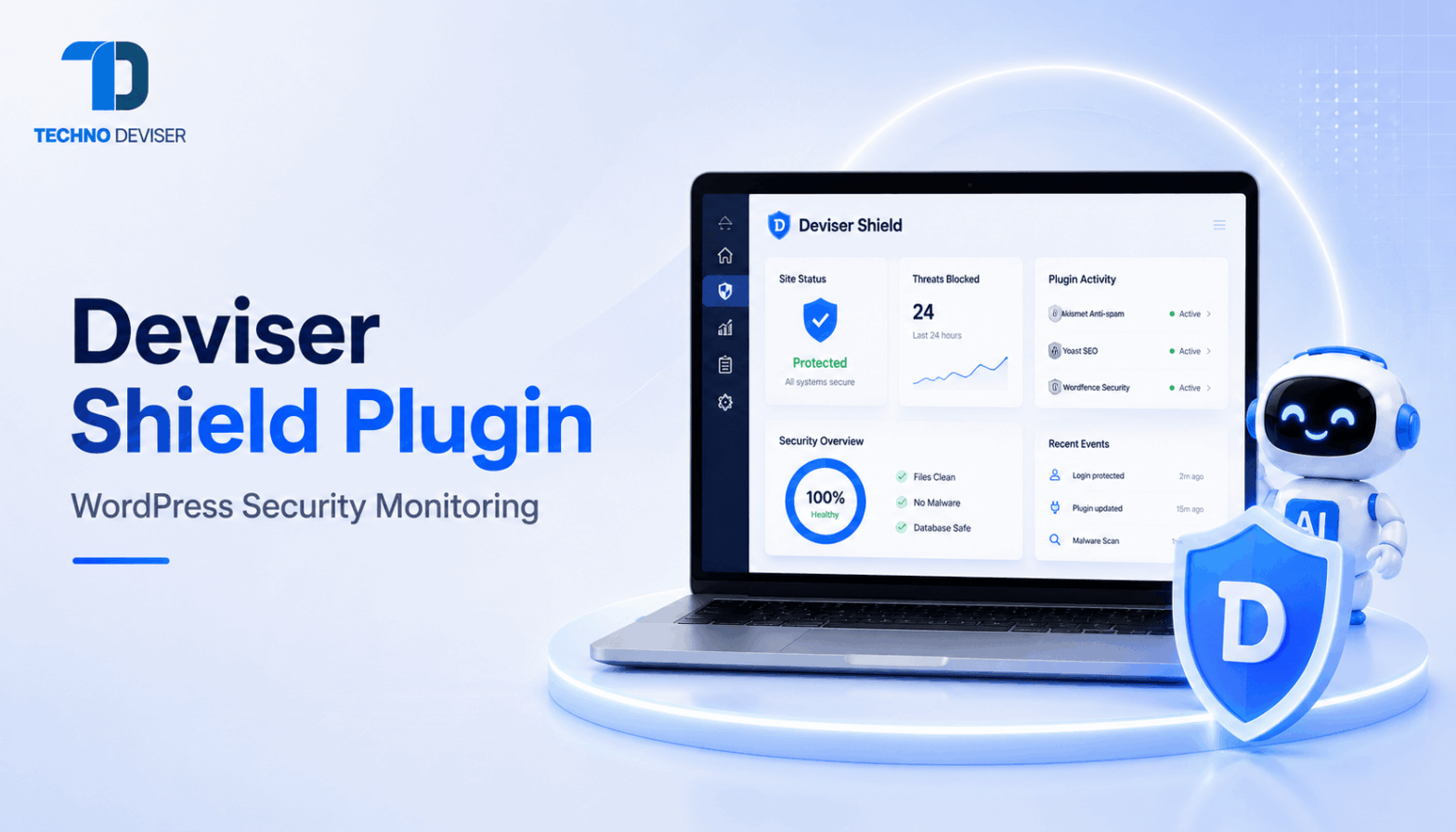
The Deviser Shield plugin is a WordPress monitoring tool designed to help website owners, developers and administrators stay informed about important plugin-related activity. In modern WordPress website management, even a small plugin change can affect security, SEO, performance, forms, analytics, or customer experience.
Moreover, WordPress websites often depend on plugins for key business functions. A plugin may control contact forms, SEO metadata, schema markup, redirects, caching, security, backups, analytics, checkout, or page design. Therefore, plugin activity should not go unnoticed.
The official Deviser Shield plugin page on WordPress.org explains that the plugin tracks plugin activations, deactivations, deletions and file modifications. It also sends email notifications when important plugin activity happens.
In addition, a detailed article from AN SEO Agency about the Deviser Shield plugin explains how plugin monitoring can support website security, SEO stability and better visibility over WordPress changes.
For businesses that need stronger WordPress security, maintenance and long-term website performance, Techno Deviser can help with web development, SEO, digital marketing and technical website support.
The Deviser Shield plugin helps WordPress website owners monitor important plugin activity, including activations, deactivations, deletions and file modifications. It sends email alerts when changes happen, helping administrators detect unauthorized actions, troubleshoot issues faster, improve website security and maintain better visibility over plugin-related changes.
Why WordPress plugin monitoring matters
WordPress is powerful because it allows businesses to add features through plugins. However, this flexibility also creates risk. Every plugin adds code, settings, permissions and dependencies to a website.
For example, a form plugin may handle lead submissions. An SEO plugin may control title tags, meta descriptions, sitemaps, schema and redirects. A caching plugin may affect page speed. Similarly, a security plugin may protect login pages and block suspicious activity.
If one of these plugins is deactivated, deleted, modified, or changed unexpectedly, the website may behave differently. Sometimes the issue is obvious. However, in many cases, the problem stays hidden until traffic drops, leads stop coming, or customers report an error.
Therefore, plugin monitoring gives website owners a faster way to detect changes. Instead of guessing what happened, administrators can review alerts and respond quickly.
Businesses that rely on WordPress for leads, sales, bookings, or SEO should treat plugin monitoring as part of regular website maintenance. Additionally, companies can work with Techno Deviser’s web development services to build stronger and more maintainable websites.
What plugin monitoring helps you understand
Plugin monitoring helps answer important questions:
- Which plugin changed?
- When did the change happen?
- Was the action expected?
- Did a developer make the change?
- Did plugin files change?
- Could the change affect SEO?
- Could the change affect leads?
- Should the website be reviewed?
As a result, plugin monitoring creates better visibility and faster troubleshooting.
What is the Deviser Shield plugin?
The Deviser Shield plugin is a WordPress plugin activity and file change alert tool. It helps administrators monitor plugin-related actions and receive email notifications when important changes happen.
According to the official WordPress.org Deviser Shield listing, the plugin monitors activations, deactivations, deletions and file modifications. It also allows alerts to be sent to the site administrator or custom email addresses configured inside the plugin settings.
This makes Deviser Shield useful for website owners who want better control over plugin changes. It also helps developers, agencies and administrators detect unauthorized or unexpected activity.
Moreover, the plugin is lightweight and designed for easy use. It works automatically after activation, while custom email recipients can be added from the settings page.
For Techno Deviser clients, this type of tool fits naturally into a broader website maintenance strategy that includes development, SEO, security, speed and ongoing support.
Main features of Deviser Shield
The Deviser Shield plugin includes:
- Plugin activation monitoring
- Plugin deactivation monitoring
- Plugin deletion alerts
- Plugin file change tracking
- Plugin folder modification tracking
- Real-time email notifications for key plugin actions
- Custom email recipients
- Lightweight setup
- Simple configuration
- WordPress Cron-based scanning for file changes
Furthermore, these features help website teams stay informed before small plugin changes create bigger problems.
How Deviser Shield works
After installation and activation, Deviser Shield starts monitoring plugin-related activity on the WordPress website. When a tracked activity happens, the plugin sends an email notification with details.
For plugin activations, deactivations and deletions, alerts are sent instantly. For file and folder modifications, the plugin performs an automated scan every 15 minutes using WordPress Cron, as described on the official Deviser Shield WordPress plugin page.
This matters because file changes are not always visible in the WordPress dashboard. A plugin may still appear active, but its files may have changed. Therefore, file monitoring adds another layer of visibility.
Moreover, email alerts help administrators respond faster. If a plugin was changed by mistake, the team can review it quickly. If the change looks suspicious, the site can be checked for security issues.
Basic installation steps
The plugin installation process is simple:
- Upload the plugin folder to the WordPress plugins directory
- Activate the plugin from the WordPress admin dashboard
- Go to Deviser Shield settings
- Add custom email addresses if needed
- Start receiving plugin activity alerts
Additionally, website owners should test alerts after setup to make sure notifications reach the right people.
Why plugin activity alerts are important
Plugin activity alerts are important because WordPress plugin changes can affect website functionality immediately. If an important plugin is deactivated, users may experience problems without the business knowing.
For example, if a contact form plugin stops working, a business may lose leads. If an SEO plugin is disabled, metadata, schema, redirects and sitemap settings may be affected. If a caching plugin changes, page speed may drop. Similarly, if an e-commerce plugin is deleted, checkout may break.
Therefore, alerts help connect website issues to plugin activity. Instead of spending hours searching for the cause, the team can review recent plugin alerts.
Furthermore, plugin activity alerts help improve accountability. If multiple administrators, developers, or agency partners work on a website, alerts create a record of important plugin events.
For businesses that want stronger website reliability, Techno Deviser’s web app and e-commerce development support can help improve website structure, functionality and long-term maintainability.
Plugin events that can affect business performance
Plugin events can affect:
- Contact forms
- Quote requests
- SEO settings
- Redirects
- XML sitemaps
- Schema markup
- Website speed
- Security settings
- Analytics tracking
- Checkout systems
- Booking systems
- Lead generation pages
As a result, plugin activity monitoring helps protect more than security. It also supports business continuity.
Why file change alerts matter for WordPress security
Website security is not only about blocking attacks. It is also about knowing when something changes. A website can be compromised without looking broken at first.
For example, malicious code may be injected into plugin files. New files may appear inside plugin folders. Existing files may be modified quietly. Redirects may be added. Spam scripts may be inserted. Therefore, file change alerts can provide an early warning signal.
Google’s documentation on hacked content and security issues explains that hacked content can be content placed on a site without permission because of security vulnerabilities. This can damage trust and search visibility.
In addition, OWASP explains the concept of file integrity monitoring as a way to detect unauthorized changes in files, configurations and critical data. Businesses can learn more from OWASP’s file integrity monitoring resource.
The Deviser Shield plugin supports this idea by helping WordPress administrators notice plugin file and folder modifications. It does not replace a complete security system, but it adds helpful visibility.
File change alerts can help detect
File change alerts can help detect:
- Modified plugin files
- Added files
- Deleted files
- Unexpected folder changes
- Failed updates
- Unauthorized changes
- Suspicious edits
- Developer mistakes
- Possible malware activity
- Plugin integrity issues
However, every alert should be reviewed carefully. Some file changes may happen during legitimate updates, while others may need immediate investigation.
How plugin changes can affect SEO
Many businesses think SEO is only about content and keywords. However, technical stability is just as important. WordPress plugins often control key SEO elements.
For example, plugins can manage title tags, meta descriptions, canonical tags, schema markup, XML sitemaps, robots settings, redirects, breadcrumbs, image optimization, caching, analytics and tracking codes.
Google’s guide on optimizing websites for generative AI features on Google Search explains that SEO best practices remain relevant because AI search features rely on Google’s core Search ranking and quality systems.
Therefore, stable plugins can support stable SEO. Deviser Shield helps by notifying website teams when plugin-related activity occurs.
For businesses that need SEO support, Techno Deviser’s services include digital growth solutions that can connect website stability with better visibility, traffic and conversions.
SEO areas affected by plugin changes
Plugin changes can affect:
- Meta titles
- Meta descriptions
- Canonical tags
- XML sitemaps
- Schema markup
- Robots settings
- Redirects
- Image optimization
- Analytics tracking
- Speed optimization
- Internal linking tools
- Indexing controls
Consequently, plugin monitoring should be part of technical SEO maintenance.
Deviser Shield and website maintenance
Website maintenance should include more than content updates. It should include security checks, plugin updates, form testing, speed reviews, backups, SEO checks and monitoring.
Deviser Shield supports maintenance by giving administrators visibility into plugin activity. If a plugin is changed, deleted, deactivated, or modified, the website team can review it quickly.
Moreover, maintenance becomes easier when teams receive alerts instead of discovering issues late. For example, if leads suddenly stop, an administrator can check whether a form plugin was recently deactivated. If rankings drop, the team can check whether an SEO plugin changed. If the site becomes slow, the team can review caching or performance plugin activity.
This is why Deviser Shield fits well into a WordPress maintenance workflow. It helps website teams move from reactive troubleshooting to proactive monitoring.
Businesses that want support with stronger website systems can contact Techno Deviser for web development, digital marketing, SEO and ongoing website improvement.
Website maintenance areas Deviser Shield supports
Deviser Shield supports maintenance by helping with:
- Change visibility
- Plugin monitoring
- Security awareness
- Troubleshooting
- Admin accountability
- SEO stability
- Performance issue investigation
- Developer coordination
- Faster response time
- Audit trail support
Additionally, it gives website owners more confidence when multiple people manage one WordPress site.
Who should use Deviser Shield?
Deviser Shield is useful for any WordPress website owner who wants better visibility over plugin activity. However, it is especially helpful for businesses that depend on their website for leads, sales, bookings, search visibility, or customer trust.
For example, a local service business may use WordPress plugins for forms, reviews, maps, SEO and caching. An e-commerce store may use plugins for products, payment, checkout, shipping, email and analytics. A marketing agency may manage many client websites with multiple plugin dependencies.
In each case, plugin changes can affect business performance. Therefore, alerts can help teams respond faster.
The AN SEO Agency article about Deviser Shield also explains that plugin monitoring matters because plugins can affect SEO, lead generation, security and website stability.
Best users for Deviser Shield
Deviser Shield can help:
- Business owners
- WordPress administrators
- Web developers
- SEO teams
- Digital agencies
- E-commerce store owners
- Website maintenance teams
- IT support teams
- Freelancers managing client sites
- Companies with multiple admin users
Moreover, the plugin can be useful for websites where accountability and change tracking matter.
Deviser Shield vs traditional security tools
Traditional WordPress security tools may focus on firewalls, malware scanning, login protection, spam blocking, or brute-force prevention. These tools are important. However, plugin activity monitoring solves a more specific problem.
Deviser Shield focuses on plugin-related changes. It helps administrators know when plugins are activated, deactivated, deleted, or modified. Therefore, it is not a replacement for a full security suite. Instead, it can work alongside other tools as part of a layered security strategy.
For example, a firewall may help block malicious requests. A malware scanner may detect infected files. A backup plugin may restore the website. Meanwhile, Deviser Shield helps notify the team when plugin activity happens.
This layered approach is useful because website security depends on visibility, prevention, detection and response.
How Deviser Shield adds value
Deviser Shield adds value by focusing on:
- Plugin event alerts
- File modification alerts
- Admin awareness
- Change visibility
- Troubleshooting support
- Plugin-level monitoring
- Email notification workflows
- Website maintenance accountability
Additionally, it helps businesses notice changes that might otherwise stay hidden.
Best practices after installing Deviser Shield
Installing Deviser Shield is a strong first step. However, businesses should also create a clear response process for alerts.
First, decide who should receive notifications. The default administrator email may be enough for small websites. However, larger websites may need alerts sent to a developer, website manager, agency partner, or security contact.
Next, document what should happen after an alert. For example, if a plugin is deactivated, the team should check whether the action was planned. If plugin files change, the team should review whether an update happened. If no one recognizes the change, the site may need a security review.
Moreover, businesses should not ignore repeated alerts. Recurring plugin changes may show update problems, configuration issues, or unauthorized access.
Recommended setup steps
After installing Deviser Shield:
- Add the correct alert email recipients
- Test notification delivery
- Review plugin activity after updates
- Keep WordPress admin access limited
- Document approved plugin changes
- Check alerts after developer work
- Investigate unknown file modifications
- Keep backups active
- Use strong admin passwords
- Pair monitoring with security scans
Furthermore, businesses should combine plugin monitoring with regular maintenance.
Comparison table: Without plugin monitoring vs with Deviser Shield
| Area | Without plugin monitoring | With Deviser Shield |
| Plugin deactivation | May go unnoticed until something breaks | Email alert helps team respond quickly |
| Plugin deletion | May cause hidden feature loss | Admin receives deletion notification |
| File changes | Hard to notice manually | File and folder modification alerts help visibility |
| SEO stability | Changes may affect metadata or sitemaps silently | Plugin activity can be reviewed faster |
| Lead forms | Form plugin issues may be discovered late | Deactivation alerts help protect lead flow |
| Security awareness | Suspicious plugin changes may stay hidden | Alerts can support faster investigation |
| Maintenance | Troubleshooting may take longer | Recent plugin activity gives useful context |
| Accountability | Harder to know when changes happened | Email alerts support better admin oversight |
Mini case study: How Deviser Shield can help protect leads
Imagine a service business that gets most leads from its WordPress website. The site uses plugins for contact forms, SEO, caching, analytics and security.
One day, a team member accidentally deactivates the contact form plugin while making updates. The homepage still loads, and the service pages still look normal. However, the quote form stops working.
Without plugin activity alerts, the business may not notice the problem until leads drop. By then, several potential customers may have left without contacting the company.
With Deviser Shield installed, the administrator receives an email alert when the plugin is deactivated. The team checks the website, reactivates the plugin, tests the form and confirms that lead submissions are working again.
As a result, the issue is fixed quickly. The business avoids extended lead loss, and the team has a clearer record of what happened.
This example shows why plugin monitoring supports both security and business performance.
Practical WordPress security checklist
Deviser Shield can support WordPress visibility, but it should be part of a wider security and maintenance plan.
Keep plugins updated
Update plugins regularly, but test important features after updates. This includes forms, checkout, SEO settings and page layouts.
Limit administrator access
Only trusted users should have administrator access. Additionally, remove old admin accounts when team members or vendors no longer need access.
Use strong passwords
Use strong passwords and enable additional login protection where possible. Weak admin access can create serious risk.
Keep backups active
Backups help restore a website after errors, failed updates, or security issues. However, backups should also be tested.
Monitor plugin changes
Use Deviser Shield to monitor plugin activations, deactivations, deletions and file changes. This gives your team faster visibility.
After plugin updates or changes, review SEO settings, redirects, metadata, schema, sitemaps and analytics tracking.
Work with experts
For business-critical websites, work with an experienced development team like Techno Deviser to maintain security, SEO, performance and user experience.
Common mistakes to avoid
Deviser Shield can help improve visibility, but businesses should use it correctly.
Mistake 1: Ignoring alerts
Alerts are only useful when someone reviews them. Therefore, assign responsibility to a specific person or team.
Mistake 2: Sending alerts to the wrong inbox
If alerts go to an unused email address, important warnings may be missed. Add the right recipients during setup.
Mistake 3: Assuming every file change is malicious
Some file changes happen during normal updates. However, unknown or unexpected changes should be reviewed carefully.
Mistake 4: Using monitoring without backups
Monitoring can alert you to changes, but backups help you recover. Both are important.
Mistake 5: Giving too many users admin access
More admin users create more risk. Limit access to only those who need it.
Mistake 6: Treating plugin monitoring as a full security replacement
Deviser Shield supports visibility, but it should work alongside broader security tools, updates, backups and expert review.
FAQs
What is the Deviser Shield plugin?
Deviser Shield is a WordPress monitoring plugin that tracks plugin activations, deactivations, deletions, and file changes.
How does it improve WordPress security?
It sends alerts when plugin activity happens, helping admins detect unauthorized changes or suspicious actions quickly.
Does it monitor plugin file changes?
Yes, it scans plugin files and folders every 15 minutes using WordPress Cron.
Who receives Deviser Shield alerts?
Alerts go to the site admin email by default. Custom email recipients can also be added.
Can it help with SEO protection?
Yes, it can alert teams when SEO-related plugins change, helping protect metadata, schema, redirects, and sitemaps.
Table of Content
- Introduction
- Why WordPress plugin monitoring matters
- What is the Deviser Shield plugin?
- How Deviser Shield works
- Why plugin activity alerts are important
- Why file change alerts matter for WordPress security
- How plugin changes can affect SEO
- Deviser Shield and website maintenance
- Who should use Deviser Shield?
- Deviser Shield vs traditional security tools
- Best practices after installing Deviser Shield
- Comparison table: Without plugin monitoring vs with Deviser Shield
- Mini case study: How Deviser Shield can help protect leads
- Practical WordPress security checklist
- Common mistakes to avoid
- FAQs
Leave a comment
Your email address will not be published. Required fields are marked *