




-
 Nov 10, 2026
-
 Techno Deviser
-
 28 min read
- What Is Visual Search?
- What Changed in Google Search Console?
- Which Visual Search Experiences Are Included?
- How to Find Visual Search Data in Google Search Console
- Understanding the New Visual Search Performance Metrics
- Visual Search vs Google Images: What’s the Difference?
- Why Visual Search Matters for Businesses
- Ten Ways to Optimize Your Website for Visual Search
- Visual Search SEO for Different Industries
- How to Turn Visual Search Traffic Into Customers
- How AI Is Influencing Visual Search
- Common Visual Search SEO Mistakes
- Practical Business Example: Visual Search for a Furniture Retailer
- A Practical 30-Day Visual Search Optimization Plan
- Expert Insight: What Google Says About Multimodal Search
- Frequently Asked Questions
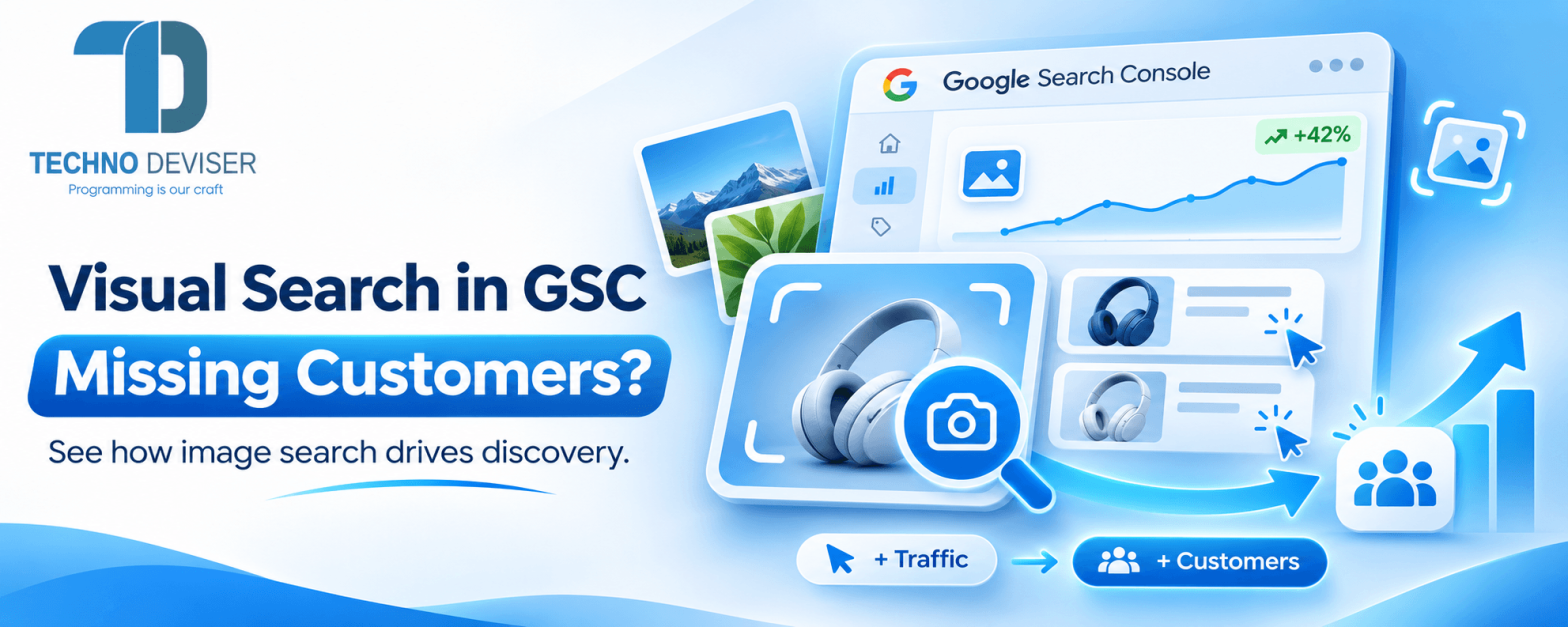
Google Search Console visual search reporting is changing how businesses understand customer discovery. Until recently, most website owners focused primarily on keywords, clicks, impressions and search rankings. However, customers no longer need to type a search query to find products, services or information.
Imagine someone sees an attractive piece of furniture in a hotel. Instead of searching for a detailed product description, they take a photograph and use Google Lens to find similar products.
Another customer notices a pair of shoes in a social media post. They use Circle to Search on their Android phone to explore matching products without manually describing the design.
These interactions represent a growing category of search behavior in which images become the starting point.
For businesses, this creates a valuable question: Are potential customers discovering your website through visual searches without you realizing it?
On September 24, 2026, Google officially introduced multimodal search performance reporting in Google Search Console. The update allows website owners to analyze certain searches initiated with images, including Google Lens, Circle to Search and uploaded photographs.
Previously, these interactions were difficult to isolate in standard website search reports.
Now, businesses can examine which pages appear in image-initiated search experiences and whether those searches generate website visits.
However, this new reporting does not automatically improve rankings or provide every detail about what customers photographed.
To take advantage of this opportunity, businesses need to combine visual search insights with image optimization, useful website content and effective conversion strategies.
At Techno Deviser, our SEO and digital growth services focus on connecting technical website improvements, content optimization and measurable online visibility.
This guide explains Google’s latest Search Console update, how to find visual search data, which businesses may benefit most and how to improve your website’s readiness for visual discovery.
Quick Answer: Does Google Search Console Track Visual Searches?
Yes. Since September 24, 2026, Google Search Console has introduced a Web: multimodal search filter that reports performance from searches initiated with images. It covers Google Lens, Circle to Search, image uploads and Chrome’s image search feature. Businesses can examine page-level clicks and impressions, but the exact visual search queries are not available.
What Is Visual Search?
Visual search is a method of finding information using an image rather than relying entirely on typed words.
For example, a customer might photograph a chair, upload an image of a product or select an object displayed on their smartphone screen.
Google can analyze the image and return relevant information, products or webpages.
This allows customers to search for objects they may not know how to describe.
How Traditional Search Works
In traditional search, a user types a question or keyword.
For example:
“Modern wooden dining table with black metal legs.”
Google then returns relevant results based on the query and other search signals.
How Visual Search Works
With visual search, the same customer can photograph a table and use the image as part of the search.
Google may identify relevant visual characteristics and show related content.
Consequently, customers can explore products and information without needing to know the exact product name.
Why This Matters for Online Businesses
Businesses traditionally rely on written keywords to explain their offerings.
However, visual search creates another way for potential customers to discover products, designs and services.
For example, a business selling furniture may attract customers looking for a specific style.
Similarly, a home improvement company may benefit when customers research construction materials or design examples.
However, visual similarity does not guarantee that Google’s results will include a particular business.
Relevant, accessible and informative website content still matters.
What Changed in Google Search Console?
On September 24, 2026, Google announced a new reporting capability for multimodal search.
According to the official Google Search Central announcement, the update introduces reporting for image-initiated searches in both the Search results Performance report and the Generative AI features Performance report.
The new reporting helps website owners understand how their content appears when users search with images.
What Is the New Search Type Called?
The new option is called:
Web: multimodal
It distinguishes certain image-initiated web searches from standard text-based searches.
What Was the Problem Before This Update?
Website owners could already examine traffic from Google Images.
However, that report did not provide a dedicated view of the newer image-initiated web search experiences covered by the multimodal filter.
Therefore, businesses had limited visibility into this specific category of search activity.
What Can Businesses Do Now?
With the new reporting, website owners can:
- Identify Pages receiving multimodal search visibility.
- Monitor Clicks and impressions from supported image-based searches.
- Examine Performance trends over time.
- Analyze Countries where multimodal searches originate.
- Review Device categories.
- Compare Relevant reporting periods.
- Export Available data for further analysis.
Importantly, the new report is a measurement improvement.
It does not represent a new ranking factor or automatically increase website traffic.
Is the Feature Available Globally?
Google began rolling out the reporting globally on September 24, 2026.
However, websites will only see meaningful data when they receive qualifying multimodal search activity.
Consequently, a website with little or no visual search exposure may initially display limited information.
Which Visual Search Experiences Are Included?
Google’s multimodal reporting includes several different ways customers can initiate a search using images.
1. Google Lens
Google Lens allows users to search using a photograph or image.
For example, someone can photograph a handbag, piece of furniture or garden plant and explore relevant results.
Businesses selling visually identifiable products may find this particularly relevant.
However, Google Lens also supports informational searches that do not necessarily involve purchases.
2. Circle to Search
Circle to Search allows supported Android users to select content directly from their screens.
For example, a person watching a video may circle a pair of shoes to search for similar products.
The user does not need to switch manually to a traditional search interface.
This creates opportunities for visually relevant website content to be discovered during everyday mobile browsing.
3. Image Uploads to Google Search
Customers can upload images to initiate searches.
For example, someone might upload a photograph of a kitchen design to explore related products or ideas.
A retailer with clearly presented product images and relevant landing pages may have an opportunity to appear in suitable results.
4. Chrome’s Search This Image Feature
Google also includes searches initiated through Chrome’s image-search functionality.
For example, a desktop user may right-click an image and select the option to search using that image.
This provides another route for discovering visually related information.
What These Experiences Have in Common
All these methods begin with visual information.
However, they do not necessarily reveal what the person intended to buy or which exact object they selected.
Therefore, businesses should interpret multimodal performance as a discovery signal rather than a complete description of customer intent.
How to Find Visual Search Data in Google Search Console
Businesses can review the new reporting through their existing Google Search Console account.
The process does not require installing an additional WordPress plugin or purchasing a separate analytics tool.
Step 1: Open Google Search Console
Visit Google Search Console and select your verified website property.
Ensure that you have access to the correct domain or URL-prefix property.
Step 2: Open the Performance Report
In the left navigation menu, select Performance and open Search results.
This report shows how your website performs across supported Google Search experiences.
Step 3: Select the Search Type Filter
At the top of the report, find the Search type filter.
Google supports separate views for web, image, video and news searches.
The web search category now includes text-based and multimodal reporting options.
Step 4: Choose Web: Multimodal
Select Web: multimodal and apply the filter.
The report will focus on qualifying searches initiated with images.
If the option is unavailable or the report is empty, check that you are viewing a supported property and date range with applicable data.
Step 5: Review Clicks and Impressions
Examine how often your site appeared and how many clicks it received from reported multimodal search results.
These figures can help identify whether visual searches are contributing to organic discovery.
Step 6: Open the Pages Tab
Review which landing pages receive multimodal search activity.
For example, you may discover that product pages, image-rich guides or portfolio pages are attracting visibility.
However, the Pages report shows landing-page URLs, not a list of the exact images people searched with.
Step 7: Review Countries and Devices
Examine whether activity comes from particular countries or device types.
This may help businesses understand geographic opportunities and mobile discovery patterns.
Step 8: Compare Relevant Dates
Review the current period against a suitable earlier period.
However, remember that the dedicated multimodal reporting only began in September 2026.
Therefore, avoid treating periods before the feature existed as directly comparable historical data.
Step 9: Export the Report
Use the Export option to download available report data.
This allows your team to organize landing pages, review changes and combine results with other marketing reports.
Step 10: Investigate the Relevant Landing Pages
Finally, review the pages generating visibility.
Ask:
- Are The images clear and relevant?
- Does The page answer customer questions?
- Can Customers understand the products or services?
- Is The mobile experience usable?
- Are There clear contact or purchase options?
- Does The page provide useful supporting information?
This is where reporting becomes an actionable SEO process.
For additional guidance, Google provides official documentation covering the Search Console Performance report.
Understanding the New Visual Search Performance Metrics
Google Search Console provides useful performance measurements, but businesses need to interpret them correctly.
Clicks
Clicks indicate recorded clicks from qualifying Google Search results.
For example, a shopper may search with a photograph and click a result leading to your product page.
However, a click is not equivalent to a purchase or qualified enquiry.
Impressions
An impression indicates that a result from your website was shown under Google’s relevant reporting rules.
For example, a product page may appear in a multimodal search result without receiving a click.
This can provide an indication of search exposure.
However, it does not prove that the customer examined your product in detail.
Click-Through Rate
CTR compares recorded clicks with impressions.
A low CTR can be worth investigating, but it does not always indicate poor optimization.
For example, a search result might satisfy an informational need without requiring the user to visit the website.
Therefore, businesses should examine the page and search context before making changes.
Average Position
Where the metric is provided in the relevant report, average position reflects Google’s reported result-position methodology.
However, visual search experiences can be more complex than a traditional list of text results.
Consequently, position should not be interpreted as a fixed visual ranking across every device or experience.
Pages
The Pages dimension shows the website URLs associated with the reported search activity.
This is especially useful because multimodal search does not provide the usual keyword-level view.
Countries and Devices
Country and device reports help identify where and how the searches originate.
For example, a product retailer may discover that certain product pages receive more activity from mobile users.
However, these observations should guide investigation rather than automatically determine changes.
Important Limitation: Exact Multimodal Search Queries Are Not Available
Google’s official Search Console documentation confirms that the Queries dimension is unavailable when the Web: multimodal search type is selected.
This means businesses cannot see a list of the exact photographs or text prompts used for those searches.
Therefore, the best approach is to analyze the landing pages, surrounding website content and available conversion data.
Visual Search vs Google Images: What’s the Difference?
One of the most common mistakes is assuming that Google’s new multimodal reporting is identical to its existing Image search report.
They measure different categories of search activity.
| Feature | Google Images Search | Web: Multimodal Search |
| Search method | Results displayed in Google Images | Web searches initiated with images |
| Typical experience | Browsing image search results | Google Lens, Circle to Search and image uploads |
| Main reporting type | Image | Web: multimodal |
| Click reporting | Available | Available in Search results reporting |
| Impression reporting | Available | Available |
| Query dimension | Available subject to standard reporting limits | Not available |
| Landing page analysis | Available | Available |
| Primary SEO use | Understand Google Images performance | Understand image-initiated web discovery |
Why Businesses Should Analyze Both Reports
A product photograph might attract attention through the Google Images tab.
However, the same product category may also attract visitors through image-initiated web searches.
These are related but distinct opportunities.
Therefore, businesses should review both search types when evaluating their visual SEO strategy.
Does the New Report Include AI Search?
Google has also introduced the multimodal filter within its separate Generative AI features reporting.
However, the metrics available in that report differ from standard Search results reporting.
For example, Google’s generative AI performance reporting focuses on visibility information such as impressions and pages.
Businesses should not assume that every AI feature provides the same click, query and position metrics as traditional Search Console reports.
The official Generative AI performance announcement explains the broader reporting approach.
Why Visual Search Matters for Businesses
Visual search can be relevant whenever customers benefit from identifying, comparing or exploring something they can see.
However, its commercial value varies by industry.
Customers May Not Know What a Product Is Called
Imagine a customer sees a unique lighting fixture.
They may not know whether it is classified as a pendant light, chandelier or decorative installation.
However, they can photograph it.
A visual search system may help them find relevant information or similar products.
Consequently, retailers benefit from presenting products clearly and providing accurate descriptive content.
Visual Search Supports Product Inspiration
Customers often discover potential purchases while browsing photographs, videos and social media.
For example, someone may admire a home interior design and want to find similar furniture.
Visual search allows the customer to begin researching that design directly.
Therefore, product photography and relevant product-page information can support discovery.
Visual Discovery Can Support Local Services
Visual search is not limited to online shopping.
For example, a homeowner researching roofing materials may use photographs to explore different installation styles.
Similarly, a customer interested in landscaping may search using a garden design image.
However, visual relevance alone does not establish that a service provider operates in the customer’s area.
Therefore, local service pages must still communicate geographic coverage, expertise and contact information.
Businesses Can Discover New Content Opportunities
Multimodal reporting may reveal that pages with strong photographs perform differently from text-heavy pages.
For example, an image-rich guide might receive more visual search activity than expected.
This can help businesses decide where improved imagery or supporting content could be valuable.
However, visual search data should be considered alongside overall traffic and conversion performance.
Ten Ways to Optimize Your Website for Visual Search
Google’s new report tells businesses where visual discovery occurs.
However, improving visibility still requires appropriate image SEO and website optimization.
The following strategies align with Google’s established image optimization guidance.
Strategy 1: Use High-Quality, Relevant Images
Clear images make it easier for people to understand products, places and services.
For example, a furniture retailer should present accurate images showing the product’s shape, materials and important details.
Similarly, a construction company may benefit from photographs of real completed projects.
However, high quality does not necessarily mean uploading enormous image files.
Images should be optimized for appropriate display sizes and website performance.
Google’s official image SEO best practices recommend high-quality images supported by relevant page content.
Strategy 2: Write Descriptive Image File Names
File names should communicate useful information about the image.
For example:
Poor filename:
IMG_4587.jpg
More descriptive filename:
custom-wooden-kitchen-cabinets.jpg
A descriptive file name provides additional context.
However, businesses should avoid excessively long file names or repeated keywords.
Strategy 3: Add Meaningful Alt Text
Alternative text describes an image for users who cannot see it and provides context to search engines.
For example:
Weak alt text:
“Kitchen”
Better alt text:
“Custom white kitchen cabinets with quartz countertops and black handles”
The better description explains what the image depicts.
However, alt text should remain natural and accurate.
It should not contain unrelated cities, service keywords or promotional phrases.
Strategy 4: Place Images Near Relevant Content
Google uses surrounding page content to help understand images.
For example, a photograph of a particular roofing material should appear near text explaining that material.
Similarly, product images should be placed on pages that accurately describe the corresponding products.
Therefore, businesses should avoid placing important images on unrelated or generic pages.
Strategy 5: Optimize Image Loading Performance
Large image files can slow down a website.
This may affect user experience, especially on mobile devices.
Businesses can consider appropriate image compression, responsive image sizing and modern formats such as WebP or AVIF.
However, the correct format depends on browser support, image quality and implementation requirements.
Additionally, developers should ensure that lazy-loading implementations do not prevent Google from discovering relevant images.
For businesses with technical performance issues, Techno Deviser’s website development services can support improvements to responsive image delivery, page structure and frontend performance.
Strategy 6: Make Important Images Discoverable
Google needs to discover image resources before it can consider them for relevant search experiences.
Therefore, websites should use supported HTML image elements and ensure important image URLs are accessible.
For example, meaningful images should not exist only inside inaccessible scripts or interfaces that search systems cannot properly process.
Additionally, businesses should review robots.txt and other indexing controls.
If important images or landing pages are blocked from crawling, their discoverability may be limited.
Strategy 7: Consider Image Sitemaps Where Useful
For websites with many images or complex media-loading systems, image sitemap information can support discovery.
For example, a large e-commerce website may contain thousands of product images.
An image sitemap can help search engines locate relevant image resources.
However, submitting a sitemap does not guarantee that every image will be indexed or ranked.
Google’s sitemap documentation explains how sitemaps support content discovery.
Strategy 8: Use Relevant Structured Data
Structured data can provide additional information about certain kinds of website content.
For example, eligible e-commerce product pages may use Product and Offer structured data to describe product details such as price, availability and relevant attributes.
However, schema markup should match the information visible on the page.
Moreover, implementing schema does not guarantee Google Lens rankings or inclusion in visual search results.
Businesses should follow Google’s merchant listing structured data guidance when appropriate.
Strategy 9: Improve Product and Service Landing Pages
A customer may discover an image through Google but still need more information before making a decision.
For example, a product page should explain specifications, available variations, price and delivery conditions where applicable.
A service page should explain the work offered, the intended audience and how customers can enquire.
Therefore, image optimization should work alongside strong page content.
Techno Deviser’s guide on how website structure impacts Google rankings explains why logical page organization and internal linking matter for SEO.
Strategy 10: Use Genuine Images Where They Add Value
Original photographs can help demonstrate real products, completed projects and business capabilities.
For example, a construction company may publish photographs of completed installations.
A restaurant may use authentic food photography.
An e-commerce retailer may provide product images showing important details and variations.
However, stock photography is not automatically prohibited or penalized simply because it is stock content.
The important considerations are accuracy, usefulness, image rights and relevance to the page.
Visual Search SEO for Different Industries
Visual search optimization should reflect how customers research each business category.
E-Commerce and Retail
Online retailers may benefit from photographs that clearly show products, materials, dimensions and variations.
For example, fashion businesses can display products from multiple angles.
Meanwhile, furniture retailers may show products in realistic settings.
However, product descriptions, stock information and pricing must also remain accurate.
Fashion and Beauty
Customers frequently discover styles and products visually.
For example, someone may use an image to research a hairstyle or styling tool.
Therefore, beauty businesses should create relevant content supported by clear images.
Home Improvement and Construction
Contractors can use real project photography to demonstrate available services.
For example, a kitchen remodeling company may publish before-and-after photographs showing specific renovation details.
Similarly, a roofing contractor may display examples of different materials and roof styles.
However, project images should accurately represent work the business has completed or is authorized to show.
Automotive Accessories
Car covers, floor mats, seat covers and related products often depend on vehicle compatibility.
Therefore, businesses should combine relevant product photographs with accurate fitment details.
A visually similar product is not automatically compatible with every vehicle.
Hospitality and Travel
Hotels, restaurants and travel businesses may benefit from visual content that clearly represents their facilities or experiences.
For example, a hotel could publish photographs of actual rooms and amenities.
However, images must remain consistent with the business’s real offerings.
Professional Services and Digital Agencies
Visual search can also matter for service providers.
For example, a website development agency may display genuine website designs, dashboards and application interfaces.
However, screenshots should include context explaining the project and services delivered.
A portfolio image becomes more useful when visitors understand the associated challenge and solution.
Businesses can explore Techno Deviser’s digital project case studies as an example of how project visuals can complement descriptive content.
How to Turn Visual Search Traffic Into Customers
Attracting more search impressions is only one part of a successful SEO strategy.
Businesses also need to help visitors move from discovery to meaningful action.
Connect Images to Relevant Landing Pages
For example, someone searching with a photograph of a kitchen cabinet should reach a page that provides relevant cabinet information.
Sending users to a generic homepage may create unnecessary friction.
Therefore, the landing page should match the visual subject and likely customer needs.
Make Product and Service Information Easy to Find
Visitors should not need to search through several unrelated pages to find essential details.
A product landing page may need accurate prices, specifications, availability and purchasing options.
Meanwhile, a service page may require an explanation of the service, photographs of real work and a contact form.
Create Clear Calls to Action
Examples include:
- View Product Details
- Explore Available Options
- Request a Quote
- Book a Consultation
- View Similar Products
- Contact Our Team
The appropriate call to action depends on the page and customer intent.
Review Mobile Conversion Experience
Visual search often involves mobile interactions.
Therefore, businesses should confirm that landing pages load correctly and offer convenient navigation.
Forms, product selectors and buttons should work consistently across common mobile devices.
Measure Actual Business Outcomes
Search Console shows search performance, not completed sales.
Therefore, businesses should also review GA4 events, e-commerce transactions, contact form submissions and CRM outcomes.
However, Google Search Console and GA4 may not attribute traffic in exactly the same way.
As a result, marketers should avoid claiming that every organic conversion came directly from Google Lens unless the available data supports that conclusion.
How AI Is Influencing Visual Search
Visual search is increasingly connected with AI-powered systems that interpret multiple forms of information.
For example, a search may begin with an image and continue with additional written questions.
A user might photograph a chair and ask:
“Where can I find something similar that is suitable for a small office?”
This combines visual and textual intent.
What Is Multimodal Search?
Multimodal search involves more than one form of input, such as images and text.
For example, a customer may provide an image and then refine the search with a description of preferred materials or price.
This allows a search experience to consider additional information beyond a simple keyword.
Does Visual Search Replace Traditional SEO?
No.
Text-based search remains important for customer research, business discovery and service enquiries.
Moreover, Google’s established image SEO recommendations continue to focus on crawlable images, relevant page content and technical website quality.
Therefore, businesses should integrate visual optimization into their existing SEO strategies.
Does Google Lens Require Special AI Schema?
Google has not established a universal special schema type that guarantees visibility in Google Lens.
Businesses should use relevant supported structured data for their content, such as eligible product information.
However, introducing experimental markup or arbitrary AI-related files does not guarantee better visual search performance.
What This Means for Website Owners
Businesses should aim to create pages that explain both what customers can see and what they need to know.
For example, a product photograph communicates appearance.
Meanwhile, text explains specifications, compatibility, pricing and purchase conditions.
Together, these elements create a more useful page.
Common Visual Search SEO Mistakes
Businesses may miss visual search opportunities because their websites are not designed to make images discoverable and useful.
Mistake 1: Uploading Images Without Context
A photograph may look attractive, but search engines also rely on surrounding page information.
Therefore, images should appear near relevant descriptions.
Mistake 2: Using Keyword-Stuffed Alt Text
Repeating keywords inside alt attributes can make content less useful.
Instead, describe the actual image accurately.
Mistake 3: Publishing Low-Quality Product Images
Blurry or misleading images may create a poor customer experience.
Therefore, use clear photographs appropriate to the products or services.
Mistake 4: Ignoring Mobile Performance
Large image files and unstable layouts can make pages difficult to use.
Businesses should optimize delivery without sacrificing important visual details.
Mistake 5: Blocking Important Image Resources
An image that Google cannot access may not be eligible for discovery through normal image-indexing processes.
Therefore, review crawling and indexing controls.
Mistake 6: Confusing Google Images With Multimodal Search
These search types have different reporting definitions.
Therefore, use the appropriate Search Console filters.
Mistake 7: Assuming Every Visual Search Is Commercial
Some customers search images for educational, informational or identification purposes.
Consequently, not every impression represents a potential sale.
Mistake 8: Focusing Only on Impressions
Impressions can reveal exposure, but businesses should also evaluate clicks, landing-page relevance and qualified conversions.
Mistake 9: Creating Generic Visual Content for Every Page
Publishing unrelated decorative images does not automatically improve visual search performance.
Images should contribute meaningful information.
Mistake 10: Expecting Immediate Ranking Improvements
Image optimization, crawling and search performance changes may take time.
Moreover, competition and search relevance affect visibility.
Therefore, businesses should evaluate sustained trends instead of expecting guaranteed results.
Practical Business Example: Visual Search for a Furniture Retailer
Consider a hypothetical furniture business selling customized tables, office desks and storage products.
The website has detailed product descriptions but relatively few high-quality photographs.
Many product images have generic file names and limited supporting information.
The company wants to understand whether visual search provides additional discovery opportunities.
Step 1: Review Search Console
The business opens the Web: multimodal report and examines the available landing-page data.
Suppose the report reveals that several office desk pages receive visual search impressions.
This indicates that those pages have appeared in qualifying image-initiated searches.
However, it does not reveal the exact objects or photographs used in those searches.
Step 2: Review the Product Pages
The team finds that some desk pages contain low-resolution images and incomplete product information.
Additionally, certain images lack useful alternative text.
Step 3: Improve the Visual Content
The business updates its product photographs.
It adds relevant descriptive alt text, more useful product details and accurate variation information.
It also reviews image loading performance.
Step 4: Improve Conversion Opportunities
The team adds clear product enquiry options and makes it easier for visitors to request information about customized desks.
Step 5: Evaluate Results
After the changes, the company reviews multimodal impressions, clicks and available website conversion data.
It also checks Google Images and broader organic search trends.
However, the business avoids attributing every performance change to image optimization alone.
What This Example Demonstrates
Visual search reporting can help identify useful pages for further investigation.
It also encourages businesses to connect image quality with product information and customer experience.
This is an illustrative example, not a verified Techno Deviser client result.
A Practical 30-Day Visual Search Optimization Plan
A structured plan can help businesses begin using the new reporting without making unnecessary website changes.
Week 1: Audit Current Visual Search Performance
Start by understanding the available information.
Key activities include:
- Open The Web: multimodal Search Console report.
- Review Available clicks and impressions.
- Identify Top-performing landing pages.
- Check Countries and device categories.
- Review Google Images performance separately.
- Export Relevant data.
- Document The current baseline.
The objective is to identify which pages deserve further attention.
Week 2: Improve Image Quality and Technical SEO
Focus on making important images useful and accessible.
Key activities include:
- Review Important product and service images.
- Improve Descriptive file names.
- Add Accurate alt text.
- Check Image compression.
- Review Responsive image delivery.
- Verify Important image URLs are crawlable.
- Correct Broken or missing images.
- Evaluate Image sitemap needs.
Week 3: Strengthen Landing Pages
Improve the relationship between visual content and useful page information.
Key activities include:
- Update Product or service descriptions.
- Add Relevant image captions where useful.
- Improve Internal linking.
- Review Page titles and headings.
- Add Appropriate structured data.
- Make Calls to action clearer.
- Test Mobile navigation.
- Review Page speed.
Week 4: Measure and Refine
Repeat the analysis after implementation.
Key activities include:
- Review Changes in reported impressions.
- Examine Landing-page clicks.
- Compare Relevant reporting periods.
- Analyze Website engagement.
- Review Available enquiry or sales data.
- Identify Remaining image optimization opportunities.
- Establish A monthly monitoring process.
However, a 30-day plan creates a starting point rather than a guaranteed ranking timeline.
Google may need additional time to crawl and process updated pages and images.
Expert Insight: What Google Says About Multimodal Search
In the September 24, 2026 announcement, Harsh Kharbanda, Product Manager Lead for Google Lens, and Moshe Samet, Product Manager Lead for Search Console, wrote:
“Understanding how users find your content is crucial for any publisher or site owner.”
This statement explains why the new reporting matters.
Search behavior is expanding beyond traditional typed keywords, and businesses need visibility into these different discovery experiences.
However, better reporting does not automatically produce better search performance.
It gives website owners more information to decide which improvements deserve attention.
The full announcement is available through the Google Search Central Blog.
Frequently Asked Questions
Does Google Search Console now track visual searches?
Yes. Since September 24, 2026, Google Search Console has introduced a Web: multimodal filter for qualifying image-initiated web searches, including Google Lens and Circle to Search.
How can I check Google Lens traffic in Search Console?
Open your Search results Performance report, select Search type and choose Web: multimodal. Review the available clicks, impressions and landing-page data.
Is Google Lens traffic the same as Google Images traffic?
No. Google Images reporting covers results shown in the Google Images tab. Web: multimodal reporting covers web searches initiated with images, including Google Lens and Circle to Search.
Can I see which images customers used to search?
No. Google Search Console does not provide the actual photographs used in multimodal searches. The Queries dimension is also unavailable for this search type.
Does image alt text help visual search SEO?
Accurate alt text helps describe images and provides context for search engines and accessibility tools. However, alt text alone does not guarantee rankings in visual search results.
Does my website need special schema for Google Lens?
Google has not announced a universal special schema requirement for ranking in Google Lens. Use relevant supported structured data for your page content, such as Product markup where appropriate.
Can small businesses benefit from visual search?
Potentially. Retailers, home service companies, restaurants and other businesses with useful visual content may gain additional discovery opportunities. However, performance depends on relevance, competition and customer behavior.
Why is my multimodal Search Console report empty?
The website may not have recorded qualifying search activity during the selected period. Check the date range and property. The report does not guarantee that every website will receive visual search impressions.
Will visual search optimization improve my Google rankings?
Image SEO can improve image discoverability and website quality, but no specific improvement guarantees higher rankings. Businesses should focus on relevant images, helpful content, technical accessibility and user experience.
Can Techno Deviser help improve visual search visibility?
Techno Deviser provides SEO, website development, e-commerce optimization and digital marketing services. Businesses can discuss image SEO, technical performance, content improvements and conversion tracking as part of a broader organic growth strategy.
Is Your Website Ready for Visual Search?
Your customers may already be searching with images instead of keywords.
The question is whether your website presents its products, services and expertise clearly enough to support those searches.
Techno Deviser’s SEO and digital growth team can help businesses evaluate technical SEO, image optimization, website content and organic search performance.
If you want to improve your website’s discoverability, user experience and lead-generation opportunities, contact Techno Deviser to discuss your business requirements.
A strong visual search strategy starts with useful images, reliable website foundations and meaningful performance measurement.
Table of Content
- What Is Visual Search?
- What Changed in Google Search Console?
- Which Visual Search Experiences Are Included?
- How to Find Visual Search Data in Google Search Console
- Understanding the New Visual Search Performance Metrics
- Visual Search vs Google Images: What’s the Difference?
- Why Visual Search Matters for Businesses
- Ten Ways to Optimize Your Website for Visual Search
- Visual Search SEO for Different Industries
- How to Turn Visual Search Traffic Into Customers
- How AI Is Influencing Visual Search
- Common Visual Search SEO Mistakes
- Practical Business Example: Visual Search for a Furniture Retailer
- A Practical 30-Day Visual Search Optimization Plan
- Expert Insight: What Google Says About Multimodal Search
- Frequently Asked Questions
Leave a comment
Your email address will not be published. Required fields are marked *